
Feature Overview: Issuing Homeowners A Dashboard Link
Issuing homeowners a dashboard link in BuildPartner gives them a simple way to view your estimate without needing their own account or requiring you to download and email your estimate. This guide explains how to generate and share a homeowner dashboard link, giving clients greater transparency into their project’s pricing.

Finding The Dashboard Link
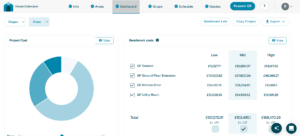
Log into your BuildPartner account and navigate to the Dashboard tab. In the top-right corner, click Dashboard Link.
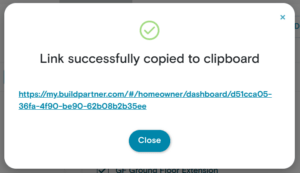
Clicking Dashboard Link opens a confirmation window showing that the link has been successfully copied to your clipboard, ready for you to paste and send to your client via email, WhatsApp, or your preferred messaging platform.
Testing The Dashboard Link
If you want peace of mind and to see exactly what your client will see, simply paste the link into a new tab. If you encounter any loading issues, it may be due to being already logged into BuildPartner in your current browser session.
In that case, open the link in a different browser (not another tab of your existing one). For example, if you normally use Chrome, try Microsoft Edge or Safari and paste the link there. Alternatively, you can open an incognito or private browsing window and use the link from there.
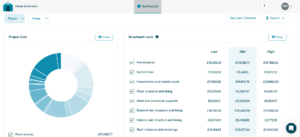
Viewers can’t edit any project details, but they do get access to Stages and Areas, allowing them to see how costs are broken down across individual tasks. They can also export a full project breakdown in Word or PDF format for easy sharing and record-keeping.
The only change they can make is to deselect items to remove them from the breakdown, allowing them to see the impact on the overall project cost in real time. For example, if they remove a specific area such as a utility room, the total cost will automatically update to reflect that change.
A Timeline
The dashboard link also gives clients a live timeline of how long the project is expected to take.
It’s based on the critical path, and tasks are laid out in the exact order they would typically need to happen, assuming each stage follows on immediately from the last. In other words, it models a “best case flow” with:
- No delays between trades
- No waiting time for materials
- No unexpected gaps in scheduling
So, when sending a dashboard link to a client, it’s worth mentioning that this should be read as a structured sequence rather than a guaranteed calendar.
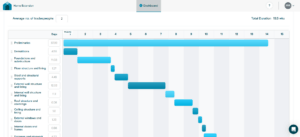
It’ll give homeowners a clear view of when disruption is likely to happen so they can plan around it. For example, during an extension build, they’ll be able to see roughly when the knock-through is scheduled, so they can plan for dust protection, access, or time away from the property.
Mobile Compatibility
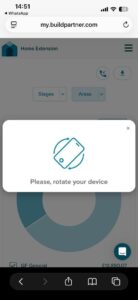
The dashboard link is fully accessible on mobile devices as well as desktop, allowing homeowners to view project costs on the go. The experience is designed to be responsive across screen sizes, though some views are optimised for landscape mode. If prompted, rotating the device will help ensure the dashboard displays correctly and remains easy to navigate.
We’re always improving BuildPartner to make project pricing more transparent and help you keep clients better informed. If you have feedback on this feature or ideas for what would make it more useful, we’d love to hear from you. Please email us at [email protected]