

A few weeks ago, we quietly introduced AI Plan Reading, a major new capability that changes how cost plans and quotations are created inside BuildPartner. Instead of manually entering information from drawings or working from rough assumptions, users can now upload their plans and let BuildPartner interpret them automatically.
This is a significant milestone for us and a major step forward in our mission to remove friction from construction cost estimating. Our new AI Plan Reading feature helps architects, contractors, property developers and managers move from drawings to reliable cost insight faster, with far less effort.
So, how does it work?
Uploading Your PDF Plans
Log in to your BuildPartner account and create a new project. You’ll be taken to a new screen where you can upload your plans. (If you don’t have plans, you can proceed by clicking “Next”, and you’ll then see the usual screens where you can select the project type, shells, rooms, etc.).
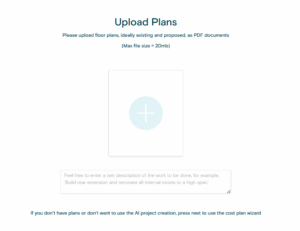
When uploading plans, there’s also an optional field to describe the scope of the project, such as:
- Build a rear extension and renovate all rooms to a high specification
- Build a new four-bedroom detached house with integrated garage
- Convert existing loft into a master bedroom with en-suite
- Construct a new front porch with improved insulation and glazing
- Build a double garage with storage space and electric vehicle charging
At the moment, only PDF files are supported for plan uploads.
Let BuildPartner Do The Heavy Lifting
Once uploaded, BuildPartner will analyse your plans, which can take between 2 and 10 minutes.
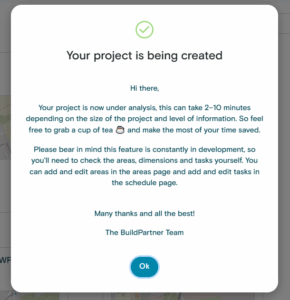
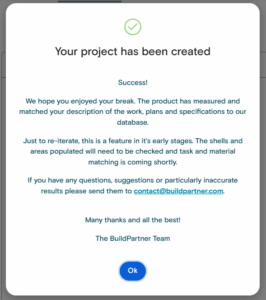
When the process is complete, you’ll receive two notifications: one to your email and another in the browser app.
The Scope Tab
There’s a new tab where you can review the scope of your project to make sure AI Plan Reading has captured the information correctly. At the moment, this is for reference only. In the next feature update, this tab will allow the schedule to be updated automatically.
But for now, removing a line using the dustbin icon won’t affect the schedule, nor does entering new scope information in the free-text field.
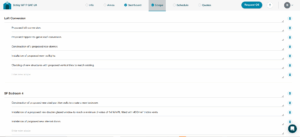
Reviewing The Area & Schedule Tab
As with any project, it’s important to review all the details in the schedule carefully. This feature is still in its early stages, so shells and areas should be checked to ensure accuracy. If you have any questions or need further guidance, please contact us at [email protected].